
Create Text
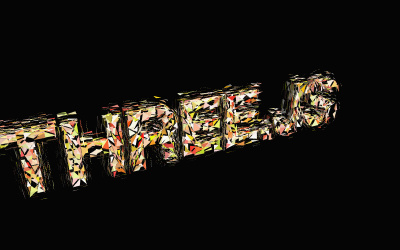
Sometimes you need text in your Three.js scene — a label, a title, a UI element. There are two main ways to do it, and which you choose depends on what you're building.
method 1: HTML + CSS (fastest)
The quickest way to add text is to just put it in an HTML element and position it on top of your canvas. This is the simplest approach and works great for titles, descriptions, and UI labels.
<div id="description">Your text goes here</div>
#description {
    position: absolute;
    top: 10px;
    left: 0;
    display: block;
    inline-size: 100%;
    text-align: center;
    z-index: 100;
    color: white;
    font-family: sans-serif;
}
The text sits on top of your 3D canvas but doesn't exist inside the 3D world. That means it never moves, rotates, or scales with the scene — it stays fixed on screen like a subtitle.
Good for: Titles, labels, instructions, UI text.
Not good for: Text that needs to exist inside the 3D world (like a sign on a wall).
method 2: TextGeometry (3D text)
If you want actual 3D text that exists inside your scene — something that rotates with the camera, casts shadows, or sits on a surface — you need TextGeometry.
import * as THREE from 'three';
import { TextGeometry } from 'three/examples/jsm/geometries/TextGeometry.js';
import { FontLoader } from 'three/examples/jsm/loaders/FontLoader.js';

const loader = new FontLoader();

// Load a font file first (you need a .json font)
loader.load('/fonts/helvetiker_regular.typeface.json', (font) => {
    const geometry = new TextGeometry('Hello Three.js', {
        font: font,
        size: 1,
        height: 0.2,
        curveSegments: 12,
        bevelEnabled: true,
        bevelThickness: 0.03,
        bevelSize: 0.02,
        bevelSegments: 5,
    });

    const material = new THREE.MeshStandardMaterial({ color: 0x4488ff });
    const text = new THREE.Mesh(geometry, material);
    scene.add(text);
});
This creates real 3D geometry — the letter shapes have depth, catch light, and cast shadows.
Good for: 3D titles, logos, in-world signs.
Not good for: Long paragraphs of text (it creates a lot of geometry).
which method should you use?
| You want to... | Use this |
|---|---|
| Add a title or label quickly | HTML + CSS |
| Text that stays fixed on screen | HTML + CSS |
| 3D text that exists inside the scene | TextGeometry |
| Text that rotates, scales, or moves with 3D | TextGeometry |
| Long paragraphs or dynamic content | HTML + CSS |
Most of the time, HTML + CSS is the right answer. But when you need 3D text, TextGeometry has you covered.