
Loading Models
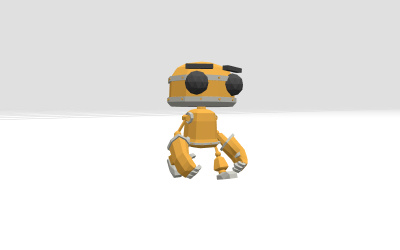
Building everything from basic shapes (boxes, spheres, cylinders) works fine for simple things. But what if you want a detailed character, a car, a spaceship, or a realistic environment? You could spend days or weeks trying to code that with BufferGeometry — or you could just download a model and load it in a few lines of code.
Think of it like this: you can draw a stick figure with a pen (basic shapes), or you can grab a statue off the shelf (a model). Both have their place.
what format to use
Three.js supports many 3D model formats, but GLTF (.gltf or .glb) is the best choice for the web. It's lightweight, loads fast, and supports everything you'll need — geometry, materials, animations, and even cameras.
.gltf— a text-based format (JSON), comes with separate texture files.glb— a single binary file, everything bundled together
☝️ tip: Use
.glbif you want one file to move around. It's the most common format you'll find on sites like Sketchfab and Poly Pizza.
loading a model with GLTFLoader
You'll need to import the GLTFLoader from Three.js's examples, then load your file:
import { GLTFLoader } from 'three/examples/jsm/loaders/GLTFLoader.js';

const loader = new GLTFLoader();

loader.load(
    '/models/scene.gltf', // path to your model file
    (gltf) => {
        // called when loading succeeds
        const model = gltf.scene;
        scene.add(model);
    },
    (xhr) => {
        // called during loading (progress)
        const percent = (xhr.loaded / xhr.total) * 100;
        console.log(`${Math.round(percent)}% loaded`);
    },
    (error) => {
        // called if something goes wrong
        console.error('Error loading model:', error);
    },
);
Let's break down those four arguments:
| Argument | What it does |
|---|---|
| path | The URL or file path to your .gltf or .glb file |
| onLoad | Runs when the file is loaded — add the model to your scene |
| onProgress | Runs repeatedly as the file downloads (optional) |
| onError | Runs if loading fails — helpful for debugging |
loading multiple models from the same project
Here's a real example — loading two different .glb files and scaling/positioning them differently:
const loader = new GLTFLoader();

// Load a character model
loader.load(
    '/threejayess/models/computerman.glb',
    (gltf) => {
        const model = gltf.scene;
        model.scale.multiplyScalar(0.2); // make it smaller
        scene.add(model);
    },
    undefined, // skip progress
    (error) => console.error('Error:', error),
);

// Load another model
loader.load('/threejayess/models/gunner.glb', (gltf) => {
    const model = gltf.scene;
    model.position.set(0, 0.2, 0); // sit on the ground
    model.scale.multiplyScalar(0.8);
    scene.add(model);
});
cleaning up when you remove a model
If you need to remove a model (like when navigating away from a page), make sure to properly dispose of it:
let model = null;

// When loading, save the reference
loader.load('/models/scene.gltf', (gltf) => {
    model = gltf.scene;
    scene.add(model);
});

// When cleaning up
function cleanup() {
    if (model) {
        scene.remove(model);
        model = null;
    }
}
where to find free models
- Sketchfab — thousands of free and paid models
- Poly Pizza — free low-poly models, great for prototyping
- The Models Resource — game rips and fan art
- Blender — create your own (see posts 14, 15, 16)
a few things to keep in mind
- File size matters — a 50MB model will take a while to load. Compress textures and decimate geometry to keep things small.
- Models often need scaling — a model from Sketchfab might be huge compared to your scene. Adjust with
model.scale.set(...). - Animations come with the model — loading a
.glbfile can also load animations. See Animation Systems for how to play them. - CORS can block loading — if you're loading from a different domain, the server needs to allow it. Local files work fine.