Create a scene
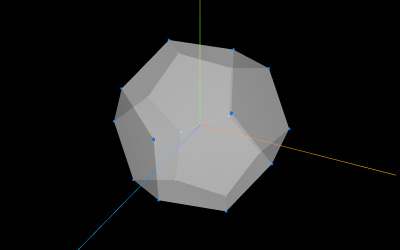
Think of Three.js like a film studio. To make a movie, you need three things:
1. The Scene — your 3D world
The scene is just an empty box. Before you add anything to it, there's nothing — black, empty space.
import * as THREE from 'three';

const scene = new THREE.Scene();
2. The Camera - your viewpoint
A camera in Three.js works like a real camera.
const camera = new THREE.PerspectiveCamera(
    75,
    window.innerWidth / window.innerHeight,
    0.1,
    1000,
);
3. The Renderer - makes it visible
The renderer takes your scene and camera data and draws pixels on screen. Think of it as the projector:
const renderer = new THREE.WebGLRenderer();
renderer.setSize(indow.innerWidth, window.innerHeight);
document.body.appendChild(renderer.domElement);
Adding Objects
lets add a cube:
const geometry = new THREE.BoxGeometry(1, 2, 3);
const material = new THREE.MeshStandardMaterial({ color: 0x00ff00 });
const cube = new THREE.Mesh(geometry, material);
scene.add(cube);
Three pieces come together to make any visible object:
- Geometry: The shape — just points in space
- Material: The surface — color, texture, shininess
- Mesh: Geometry + material combined
In three.js there are many geometries.. here's a short list:
- BoxGeometry
- CircleGeometry
- ConeGeometry
- CylinderGeometry
- DodecahedronGeometry
- ExtrudeGeometry
- IcosahedronGeometry
- LatheGeometry
- OctahedronGeometry
- ParametricGeometry
- PlaneGeometry
- PolyhedronGeometry
- RingGeometry
- ShapeGeometry
- SphereGeometry
- TetrahedronGeometry
- TextGeometry
- TorusGeometry
- TorusKnotGeometry
- TubeGeometry
- EdgesGeometry
- WireframeGeometry
To learn how to use these geometries, you should go to their website because they explain how to use them.
Actually Seeing Something - The Animation Loop
You've built a world, placed a camera, added an object, and connected a projector. But nothing renders by itself. You need a loop that keeps drawing frame after frame:
function animate(time) {
    renderer.render(scene, camera);
}
renderer.setAnimationLoop(animate);
- This runs 60 times per second (matching your monitor's refresh rate).
- Every frame, it takes a fresh picture of the scene and shows it on the canvas.
- Anything that moves or changes needs to go inside this function (or be called from it).
Making Things Move
A static cube isn't very interesting. Let's spin it:
function animate(time) {
    cube.rotation.x = time / 2000; // spin around the X axis (slow)
    cube.rotation.y = time / 1000; // spin around the Y axis (faster)

    renderer.render(scene, camera);
}
Here's a full example:
import * as THREE from 'three';

// ---- Setup ----
const scene = new THREE.Scene();
const camera = new THREE.PerspectiveCamera(
    75,
    window.innerWidth / window.innerHeight,
    0.1,
    1000,
);
const renderer = new THREE.WebGLRenderer();
renderer.setSize(window.innerWidth, window.innerHeight);
document.body.appendChild(renderer.domElement);

// ---- Object ----
const geometry = new THREE.BoxGeometry(1, 1, 1);
const material = new THREE.MeshBasicMaterial({ color: 0x00ff00 });
const cube = new THREE.Mesh(geometry, material);
scene.add(cube);

// Move the camera back so we can see the cube
camera.position.z = 5;

// ---- Animation loop ----
function animate(time) {
    cube.rotation.x = time / 2000;
    cube.rotation.y = time / 1000;

    renderer.render(scene, camera);
}
renderer.setAnimationLoop(animate);